GSB Maha Heng Now Works with Connect Hub: 2 Things Merchants Should Know
Connect Hub has successfully tested payment notifications from GSB Maha Heng to its QR Box. Discover two important findings about additional user accounts and automatic logout within approximately 36 hours, plus a practical daily routine to help keep payment notifications working.
Good News! GSB Maha Heng Now Works with Connect Hub QR Box 🎉
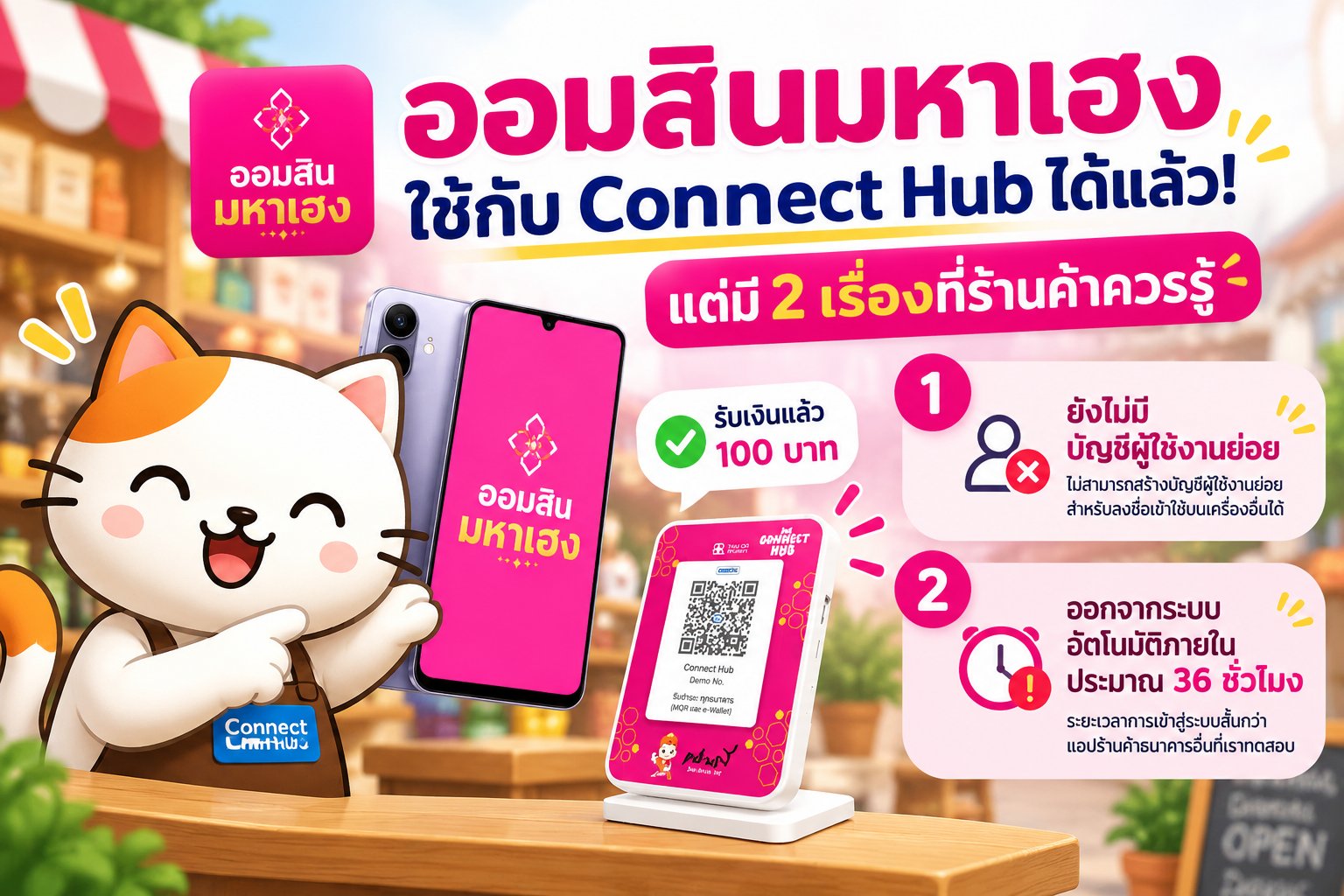
Connect Hub has successfully tested payment notifications from **GSB Maha Heng** to the QR Box! When the banking app sends an incoming-payment notification, Connect Hub can use that information to announce the payment through the QR Box. But our testing revealed two interesting differences between Maha Heng and the other merchant banking apps we support. Here's what merchants should know.
2 Important Findings from Our Maha Heng Tests
1. No Additional Merchant User Accounts Found
Based on Connect Hub's review, Maha Heng is the only one of the eight tested merchant banking apps where we have not found the ability to create additional merchant user accounts.
These accounts use separate login credentials while still accessing transaction information belonging to the original merchant.
The other tested apps support at least 10 additional users, making it easier to dedicate another phone to payment notifications without using the owner's primary credentials.
This remains a consideration for Maha Heng users, although future app updates may introduce the feature.
2. Automatic Logout Within Approximately 36 Hours
Connect Hub observed that Maha Heng automatically logged out within approximately 36 hours during testing.
Other tested merchant banking apps remained signed in for roughly 3–4 days or longer, even without periodically reopening them.
If the banking app logs out and stops sending notifications, Connect Hub has no incoming payment information to announce, even when the QR Box remains connected.
These timings are test observations, not official bank policy statements.
Why Does Connect Hub Recommend a Daily Login Routine?
This recommendation isn't based on Maha Heng alone. In previous field experience with **SCB Mae Manee**, we encountered cases where more than 100–200 notifications had accumulated and the app's notifications became stuck or stopped working. We found that clearing the app's cache was part of the recovery procedure that helped restore normal notification behavior. Many merchants don't perform this routine every day and still experience no issues. But Connect Hub prefers preventive maintenance over discovering later that notifications have stopped. That's why we recommend checking and refreshing the banking app daily, especially Maha Heng, where automatic logout was observed within approximately 36 hours.
5 Simple Steps Before Opening Your Shop
1. Log Out
Sign out of the merchant banking app to end the previous session.
2. Clear Cache
Remove accumulated temporary app files.
Important: Do not select Clear Data or Clear Storage, which may remove settings or device registration information.
3. Log In Again
Sign back in using authorized merchant credentials to restore the app to a ready state.
4. Check the Banking App
Confirm the app is signed in and ready to receive payment notifications.
5. Check Connect Hub Merchant Manager
Verify the app's monitoring status and connectivity are functioning normally.
3 More Things Merchants Should Understand
A Connected QR Box Doesn't Guarantee Banking App Readiness
Even if the QR Box or Connect Hub Merchant Manager appears connected, that does not automatically confirm the banking app is still signed in and sending payment notifications.
Payments Still Go Directly to the Merchant's Bank Account
Connect Hub uses banking app notifications for audible payment alerts and related automation. It does not participate in the bank's payment settlement process.
Daily Maintenance Reduces Risk but Cannot Guarantee Delivery
Logging out, clearing the cache, and logging back in is a preventive procedure recommended from Connect Hub's field experience. It does not mean every app requires daily cache clearing, and it cannot guarantee that every notification will arrive.
When payment confirmation is uncertain, verify transactions directly through the bank's official channels.
Final Thoughts: Maha Heng Works with Connect Hub, but App Readiness Still Matters
Connect Hub has successfully tested incoming payment notifications from GSB Maha Heng to the QR Box. Two differences are worth remembering: **additional merchant user accounts have not been found in the current app**, and **automatic logout was observed within approximately 36 hours**. We therefore recommend a daily routine of logging out, clearing the cache, logging in again, and checking notification readiness. Because a ready QR Box is only part of the picture. The banking app sending the notifications needs to be ready too. **Have you ever experienced a banking app logging out unexpectedly or payment notifications suddenly stopping?** *Note: These findings are based on Connect Hub's own review and testing. They are not official bank policy statements, and app features or behavior may change with future updates.*